

Search
Thursday 13th March 2025

PebblePad’s Latest Feature: Cross-Workspace Reporting

Category: Product
Full colour iconPebblePad
by: PebblePad Product Team

Discover how our new reporting feature is a game-changer for institutions that need powerful toolsets to monitor and leverage workbooks and templates across multiple workspaces. 

We’re always listening to our customers here at PebblePad. It’s why we are constantly improving the platform’s existing features, fixing any issues that may arise and most importantly, creating
all-new offerings that can help transform how you use PebblePad.

It was listening to your feedback that helped us identify one key roadblock – the inability to easily track student progress and engagement across regions and workspaces. To carry out the process, users had to generate a report for each and every individual workspace – a thankless,
time-consuming and laborious task – before then ‘stitching’ all that information together into a useable asset.


Streamlined processes

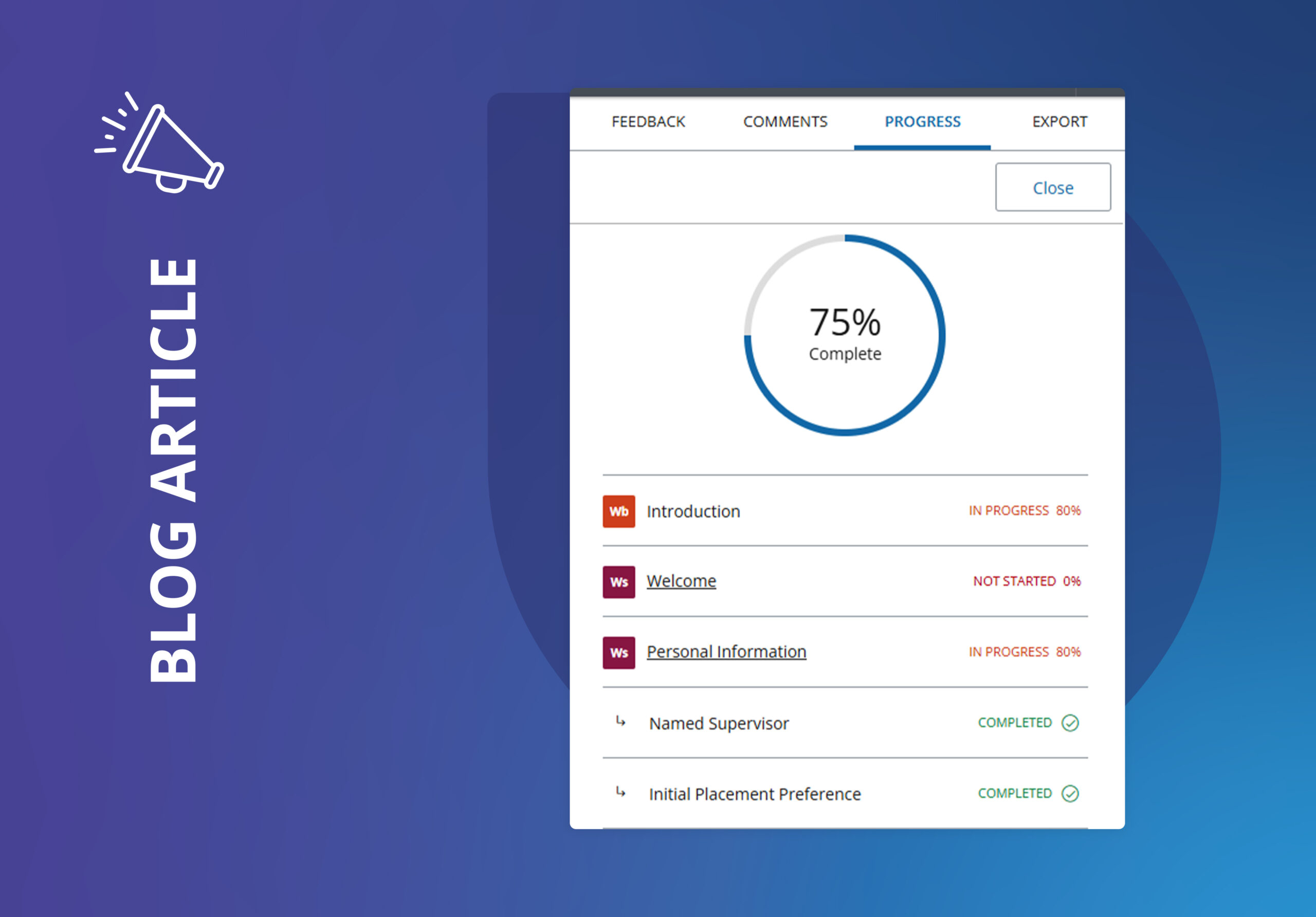
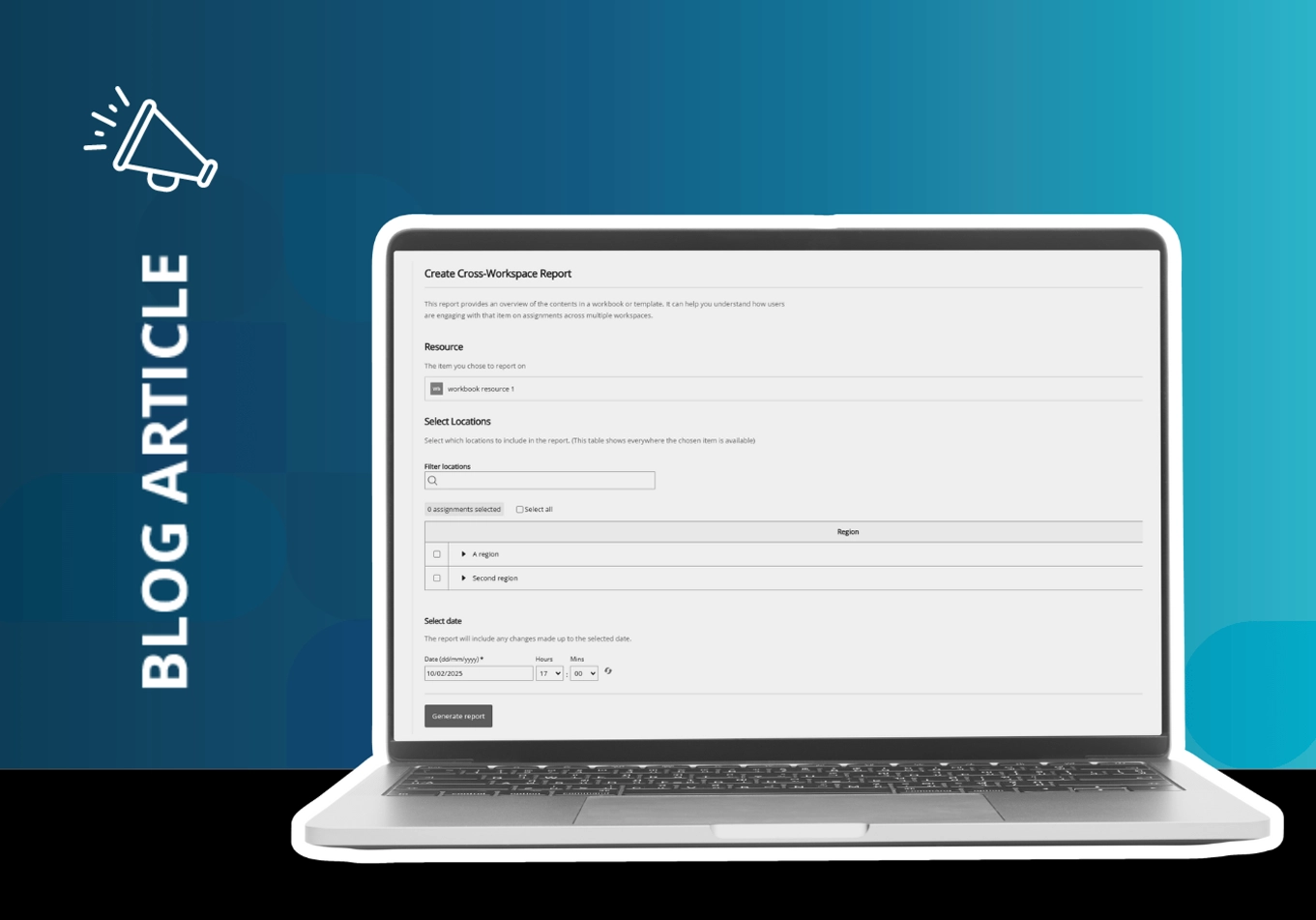
Such ‘busywork’ has now been replaced by our powerful new Cross-Workspace Reporting (CWR) feature. It lets you run a report on any workbook or template that is shared across multiple workspaces and assignments before creating a single CSV file showing student progression throughout various subjects/courses.

It’s a massively streamlined process that saves you valuable time, funds and resources. Best of all, it’s simple to use – just select the workspaces you want to report on and hit ‘Create’ to gain invaluable data insights into your assignments and workspaces – almost in an instant.

This powerful feature offers other great benefits, according to our team of beta testers made up of fantastic institutions who test drove the new feature before we released it. First is how CWR helps you wrangle your data more efficiently, letting you spot trends – and identify any issues – far more quickly and easily than before: “It’s really awesome this feature now exists to capture all our data,” says Ohio State’s Kelly Wheatley. “It’s a huge component and we appreciate PebblePad adding it.”


Cutting times

How much time it takes to run the report feature also got a thumbs-up from our testers as it massively cuts down the time and staffing resources typically needed when conducting the process manually. Liza Barton of the National Examining Board for Dental Nurses explains: “[Before] we’d have to go in individually and export each report from each of the sections. From there, we would build it together, leading to a lot of administrative work typically spread out over a couple
of weeks.”

However, using CWR has been transformative for Liza and her colleagues: “It’s cut the time needed for reporting down from weeks to half an hour,” she says. “We found CWR really easy to use and it’s very user friendly … we’re delighted and thrilled!”.
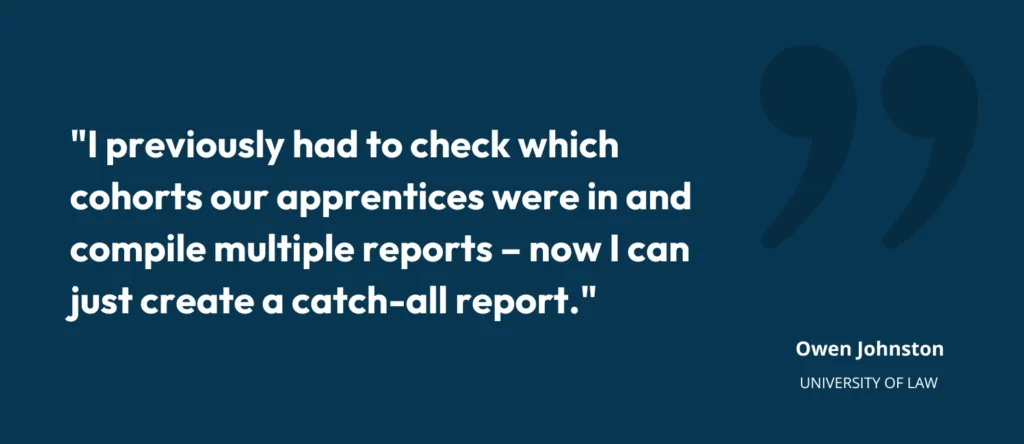
Owen Johnston - University of Law - PebblePad


Instant insights

Such a wide range of benefits makes CWR ideal for many different use cases. For instance, you can use the feature to keep track of all your workbooks wherever they are used, removing the risk of overlooking valuable data sets that might otherwise be missed for essential tasks such as auditing.

You can also conduct checks to identify any issues with course data almost at a glance. For instance, CWR offers the ability to confirm and verify vital information – including from externals such as supervisors – all within a single streamlined workflow.


Student focused

Most importantly, such close monitoring of data can be used to check on student progress. CWR allows you to spot learners who may be struggling and lets you intervene far more quickly with teaching strategies to support them, in turn putting your faculty on a more proactive footing. As Ohio State’s Kelly Wheatley states: “The new feature will help us meet students where they
need us.”

Finally, there was one use case that we must confess we hadn’t considered. Instead, it was the University of Derby’s Marcela Watkinson who discovered it: Spotting which workbooks are in use and within which workspaces before making any permanent alterations or deletions. “I need to know who has used a workbook,” explains Marcela, “and if it is safe for me to remove it or make changes – and now I can!”


Your feedback

It’s these kinds of insights that will help steer the future development of CWR as we build out its feature sets and abilities. So if you have any feedback (or have found a unique use case), we’d love to hear from you – submit your thoughts here.

In the meantime, if you want to get started with Cross-Workspace Reporting, you can find out everything you need to know with our in-depth help guide here. We can’t wait to hear what
you think.

• A special thank you to our wonderful beta testers for all their insights, feedback (and use
cases, Marcela!). 
share
Picture of PebblePad Product Team
PebblePad Product Team

Meet our product team, the driving force behind PebblePad’s evolution, turning ideas into impactful solutions. Our team works closely with users to understand their needs, crafting a clear roadmap and ensuring every feature, optimisation and fix delivers real value.

Fuelled by curiosity and a passion for solving problems, we connect the dots between customer insights, business goals and technology to shape a smarter, more powerful PebblePad.

Latest Articles

Want to chat

If you want to talk to a team who really understands
your world, please get in touch today.

Curriculum Transformation at the University of Edinburgh: co-creation and the relationship between local innovation and institutional change

Talk description: I will use the themes of reflection and experiential learning, skills development and assessment (including programme level assessment and changes in assessment practice) to explore this process in more detail. This includes the link between disciplinary and institutional curriculum reform, learning from local innovations and changes, and using this to inform University level changes and support.

Bio: My current position is leading the University wide Curriculum Transformation Project. This is a major and long term initiative for the University considering all areas of the University’s undergraduate and taught postgraduate curriculum. Prior to this Jon set up and led the Institute for Academic Development (IAD) at the University of Edinburgh. The IAD provides University level support for teaching, learning and researcher development, including direct support for students and staff, and support for enhancement and innovation in curriculum development, the student and researcher experience. Jon has a PhD in petroleum geology.

Mission Possible: The DNA of a bespoke professional development program

Talk description: The diversity of students in higher education dictates that there cannot (and should not) be a single ‘silver bullet’ approach to address the complex challenge of career readiness learning. However, the reality of modern university structures is that delivering bespoke experiences for each student is a challenge in and of itself.  And yet, all things are possible with creative use of PebblePad to streamline delivery (for the university) and make it highly personalised (for the student). 

Bio: Gayle Brent is a Learning and Teaching Consultant (Employability) at Griffith University, Queensland, Australia. Gaye’s specialist area of interest is developing and implementing strategies to enhance staff and student understanding of employability in both curricular and extra-curricular contexts. She completed a Master of Education and Professional Studies Research to explore the potential barriers and challenges to embedding employability-based learning in higher education curriculum and is currently completing a Doctor of Philosophy exploring the impact of an extra-curricular employability program on the individual student experience.

Dr Melissa Highton. Assistant Principal, University of Edinburgh

Talk description: A journey through the stories told by wicca data. How a neglected research data set was used by students to overturn historic injustice and shed new light on the lives of women in Scotland.

Bio: Melissa has worked for many years in higher education at some of the UK’s finest and most ancient institutions. In each place she enjoys discovering the hidden histories and less heard voices which can be surfaced in new ways using the most up to date and open technologies. She is a champion of playful and curious approaches to engagement with audiences on campus and online, and is an invited speaker at events about dangerous women.

Education is an Experience That Should Be Designed

Talk description: We have any number of problems and opportunities as universities, and universities must adapt to help students from diverse backgrounds develop the knowledge and skills they need to thrive and make a positive impact in the world. Key to those adaptations is understanding that we provide students with an experience. We ought to design them with intention and purpose. This talk with take up this argument and ground it within a large educational transformation project at the University of Leeds.

Bio: Jeff Grabill is Deputy Vice Chancellor for Student Education at the University of Leeds. Prior to joining the University of Leeds, Grabill was at Michigan State University (MSU) in the United States for nearly 20 years. He served Michigan State University as the Associate Provost for Teaching, Learning, and Technology. In that role, he was responsible for facilitating innovation in learning and educator professional development via his role as Director of the Hub for Innovation in Learning and Technology. Grabill’s research focuses on how digital writing is associated with citizenship and learning. That work has been located in community contexts, in museums, and in classrooms at both the K-12 and university levels. Grabill is also a co-founder of Drawbridge, an educational technology company.

Sign Up to the Customer Newsletter